max-ultra-mcp-community-skills
Donations
A free tool may ask for support, politely and in few places. The starter carries the whole story; the owner chooses which parts their tool uses. Never invent a donation address, an amount or facts about money: ask the owner.
Ask the owner first
When a tool is built or changed, ask once: “Do you want donations? Here are the places a donation can be offered:”
| Offer | DONATE_OFFERS key |
What the user sees | When it suits |
|---|---|---|---|
| Donate in the status bar | "status" |
The last button at the right of the status bar, orange with a heart. It opens the Support window, never the page straight away. | Almost every free tool |
| Donate in About | "about" |
Donate beside Close at the bottom of About (one size); it opens the Support window. | Almost every free tool |
| A line after a success | "after_success" |
The result card of a finished main operation carries “If MyTool saved you time, a small donation keeps it going.” and a shimmering Donate. From the second success on, at most once a session; never after a failure or a cancel. | Tools with a clear main operation (convert, export, build) |
| The start reminder | "reminder" |
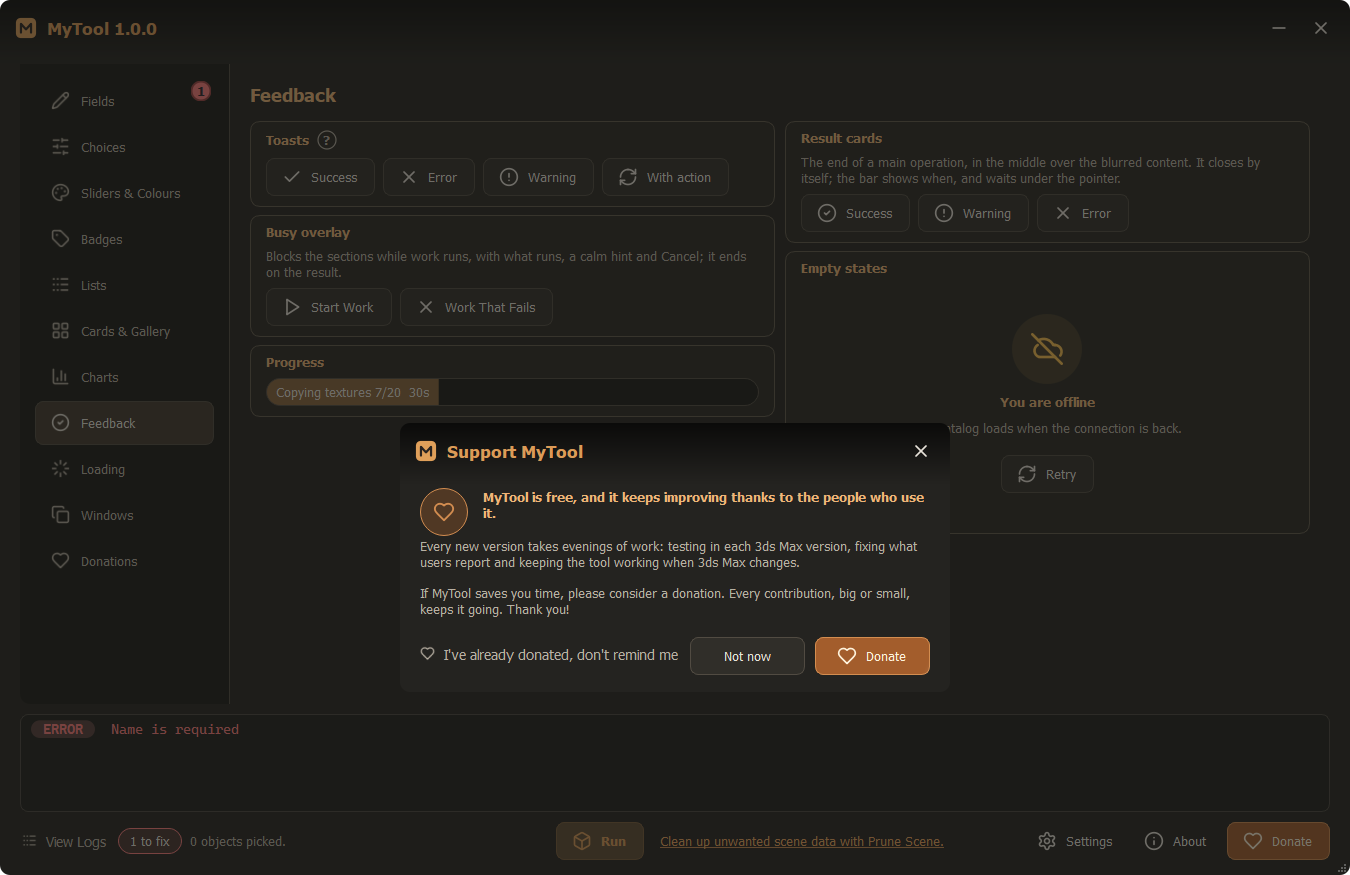
The Support window by itself on the 5th start, then every 30 starts, after the window has settled and only when nothing else is open; never in safe mode. It offers “I’ve already donated, don’t remind me”; Settings > Support has the same switch. | Tools used often, by people who may not open About |
DONATE_URL = "" turns every offer off. DONATE_OFFERS = () keeps only the address in Settings > Support. The
numbers are constants in donation.py (REMIND_AT = 5, REMIND_EVERY = 30, NOTE_FROM = 2); change them only on the
owner’s word.
The parts
- Support window (
dialogs.SupportDialog,controller.show_support): the tool’s own window (never a message box), a heart on a tinted disc with a ring in the donate colours, the first line ofSUPPORT_TEXTas its heading, then one idea per paragraph in muted text, and “Not now” beside a shimmering Donate, both one size (controls.same_width). Donate opensDONATE_URLin the browser and closes the window. As the reminder it also has the muted “Don’t remind me again” at the left. - SUPPORT_TEXT: the owner’s own words. The starter’s text is a neutral placeholder: who the tool is for, what a new version costs in work, a thank-you. Keep each paragraph to one or two lines.
- Result card (
states.ResultCard.show_message(kind, title, text, ms, donate_note)): the donation line and Donate appear only withdonate_note; the countdown bar waits while the pointer is on the card, so the user can read it. Give it a longer time (9 s) when it carries the line. - Shimmer (
controls.Shimmer): a light band sweeps over Donate every few seconds in the Support window, on the result card and in Settings > Support. Never on the status bar button: one moving thing in view at most. - Rules (
donation.Donations): pure code, tested without a window.count_start()once per start;reminder_due()/mark_reminded();after_success()counts a success and says whether its card may carry the line;set_reminders(on)for “I’ve already donated, don’t remind me” and the Settings switch. The counters (starts,successes,donate_reminded_at) survive Settings > Reset.
The way out of the reminder
The reminder’s only way out is the user’s word: “I’ve already donated, don’t remind me” (with a heart; its tooltip thanks them). Nothing is checked: it is an honour system. Whoever has donated turns the reminders off with a clear conscience, and whoever has not is asked to say they have, which most people will not do lightly. Settings > Support has the switch “Remind me about donations now and then (off once you have donated)”. Never offer a neutral “Don’t remind me” next to it, and never make the reminder harder to close: “Not now” and Esc always work.
Rules for every offer
- One click closes it; nothing comes back in the same session.
- Never in the middle of work: no reminder while a job runs or a dialog is open; the line only after the work ended.
- Never blocks the tool: “Not now” and Esc always work; the user can do everything without donating.
- Never on a failure, a cancel or a warning.
- The same donate colours everywhere (orange background, light border); the heart icon.
- The address is the owner’s; a test never opens it (the trainer’s checks only show the windows).
In the trainer
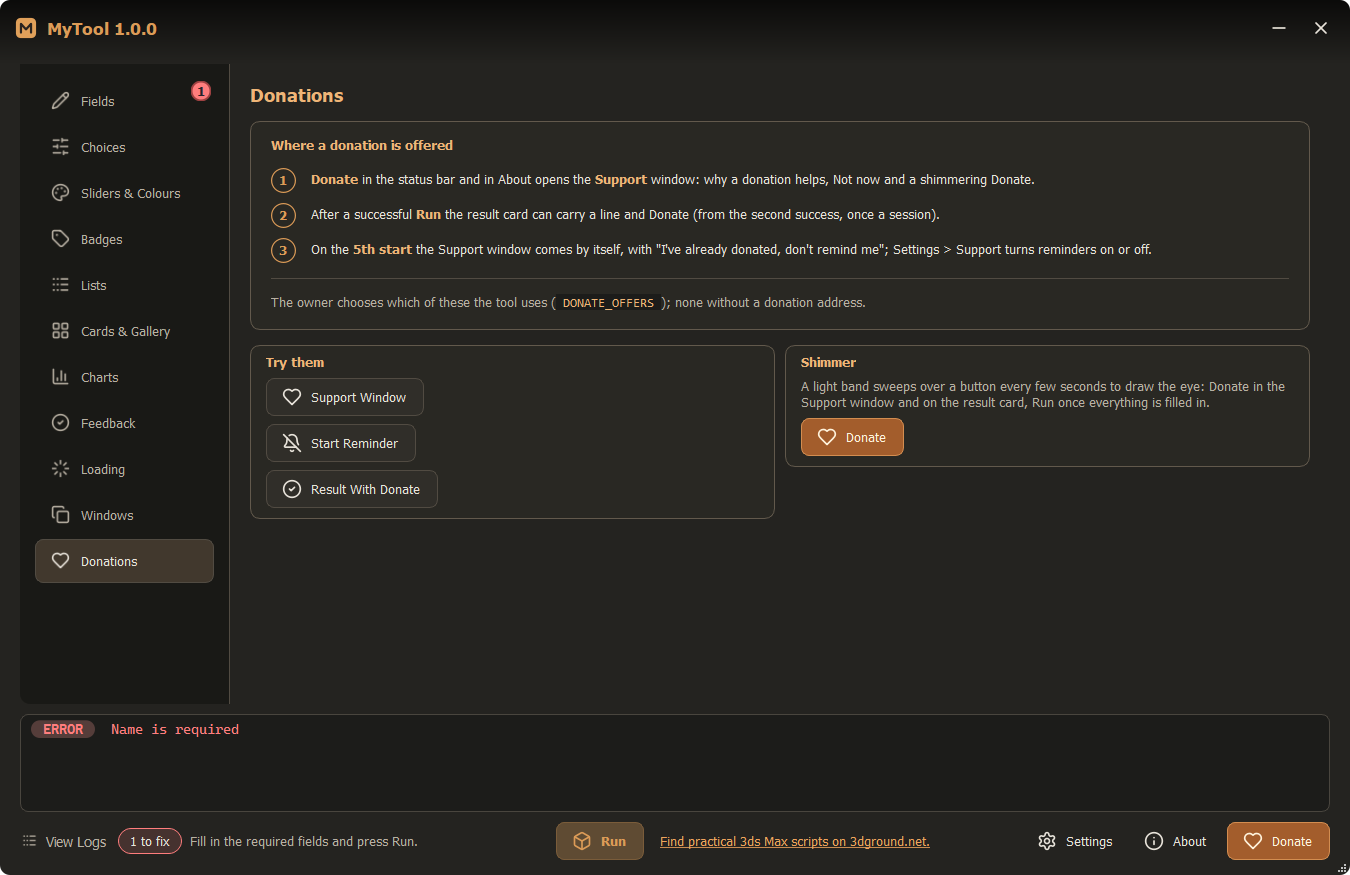
The Donations section explains every offer and shows them: Support Window, Start Reminder, Result With Donate, and a Donate with its shimmer. Run in the status bar shows the real line on its second success.